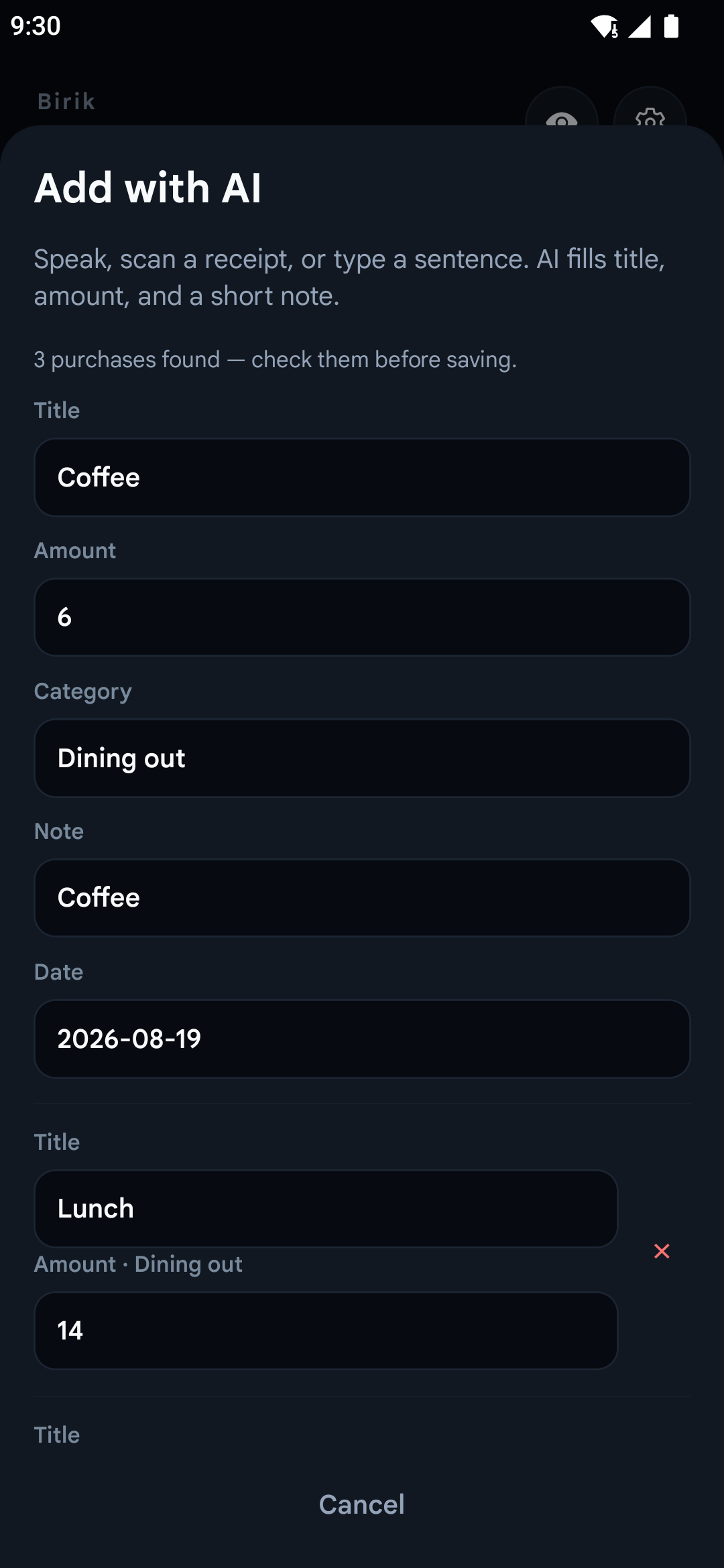
Add multiple expenses in one sentence. Type them if you do not want to use the microphone.
01 / SPEED
Tell Kumbi what you spent
instead of filling a form.
AI suggests the title, amount, direction and category. Review and edit every field before saving.
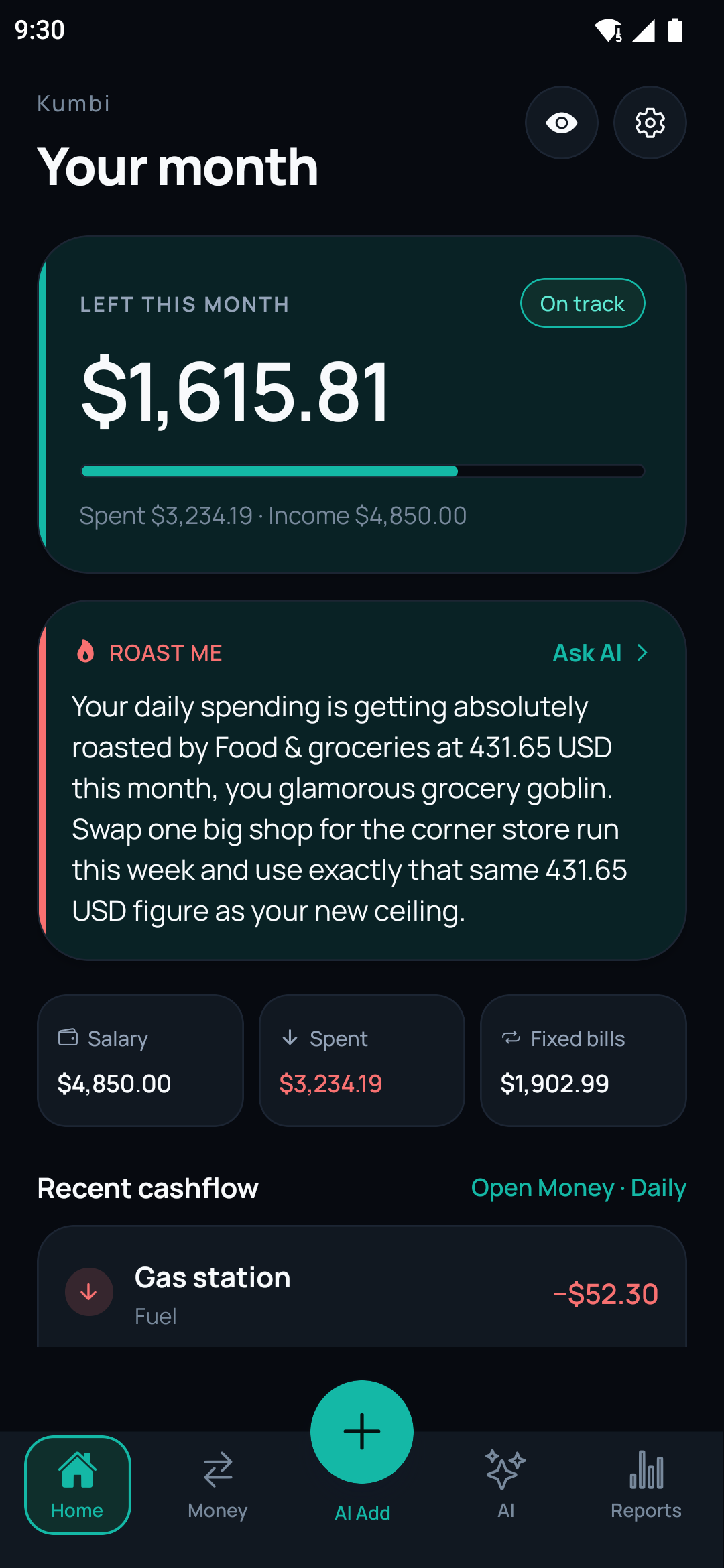
Income, fixed costs, daily cash flow, categories and remaining money come together in one monthly view.
02 / PERSONALITY
It does more than calculate.
Sometimes it tells you straight.
Kumbi’s AI adviser can speak in Friendly, Neutral, Blunt or Roast tones. You choose the style; you make the financial decisions.
“Your dessert budget just overtook coffee.”
03 / WHAT IS KUMBI?
A personal income, expense and budget tracker for Android.
Kumbi is for people who want to log daily spending faster, remember bills and see where the month went.
It does not connect to your bank. It works with the records you add. It is not investment, tax or financial advice.
Your financial records stay on your device. When you use AI entry, receipt scanning or commentary, the relevant content is sent to the server to generate a response. Details are explained in the privacy policy.
04 / GUIDES
Practical notes for
easier budgeting
Simple methods for recording spending consistently and reaching a useful monthly view without complex spreadsheets.
SEO guide · English
Expense tracker for Android
Track daily spending with typed or spoken notes and review every record before saving.
Read the guide →SEO guide · EnglishBudget tracker for Android
Plan monthly income and costs, then see what remains as the month moves on.
Read the guide →SEO guide · EnglishAI expense tracker
See how natural-language entry, receipt scanning and optional spending commentary work together.
Read the guide →SEO guide · EnglishHow to track expenses
A practical guide to simple categories, timely entries and a weekly review you can maintain.
Read the guide →05 / FAQ
Quick answers about Kumbi
Who is Kumbi for?
Kumbi is for Android users who want to record spending consistently without filling out a long form for every purchase.
Is Kumbi free?
The free plan includes a monthly allowance for AI expense entry and chat. An optional Premium plan adds higher AI limits and Blunt and Roast tones.
Does Kumbi connect to my bank?
No. You add financial records by text, voice, receipts or manual entry.
Where is my data stored?
Financial records are stored on your phone. When you use an AI feature, the necessary content is sent to the server to generate a response.
Is there an iPhone version?
Kumbi is currently available on Google Play for Android only.
Tell Kumbi about your next expense instead of filling out a form.
Try it free on Android